How to use 3D CAD models
1. Location of the Model and Download Method
(1) Location of the Model
・Please visit the following URL to access the simulator's listing page.
< https://www.mitsubishielectric.com/semiconductors/powerdevices/design_support/simulator/ >
・After filling in the required information and agreeing to the disclaimer, you will be redirected to the
download page.
(2) Downloading the Model
・The zip files for the 3D CAD models corresponding to each power device are listed in following Table.
・When using the 3D CAD models, it is necessary to download them according to the series name and
terminal shape of the target power device.
・In this case, we will use the "SLIMDIP" and "Short", so please temporarily store "SLIMDIP-SHORT.zip"
in an appropriate location such as your desktop.

DIPIPM, SLIMDIP, DIPIPM+, SOPIPM, DIPPFC and CSTBT are trademarks of MITSUBISHI ELECTRIC.
2. Storing the Model
・Place "SLIMDIP-SHORT.stp" from "SLIMDIP-SHORT.zip" into a newly created appropriate folder.
・In this case, we will create a folder named "SLIMDIP-SHORT" on the desktop, as shown in following figure, and move the file there.

3. Executing the 3D CAD Model
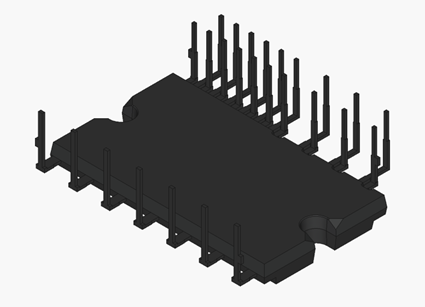
・Launch the CAD software you are using and load the "SLIMDIP-SHORT.stp" file. The 3D CAD model will be displayed as shown in following figure.